Printer Status Monitor
A downloadable tool for Windows
Printer Management System – Feature Overview
Centralized Printer Storage & Management
All printers are stored in a centralized database, allowing unified management across one or multiple locations. Printers from different sites — including remote offices connected via VPN — can be handled within a single, consolidated system while still allowing network settings to be customized per location.
Flexible Printer Addition
Printers can be added in multiple ways:
-
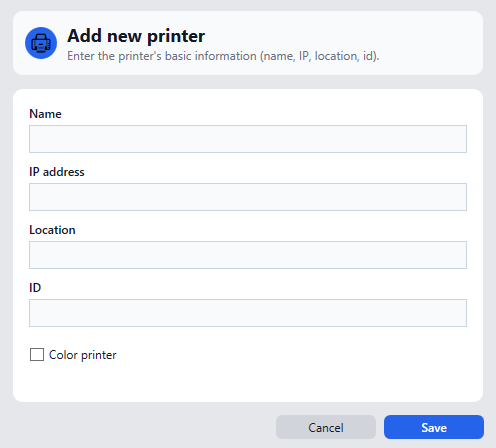
Manual Addition via IP Address
When entering an IP address in the add-printer dialog, the system automatically queries the device via SNMP to:-
Detect the printer model and type
-
Identify whether the printer is color or monochrome
-
Retrieve initial status information
-
-
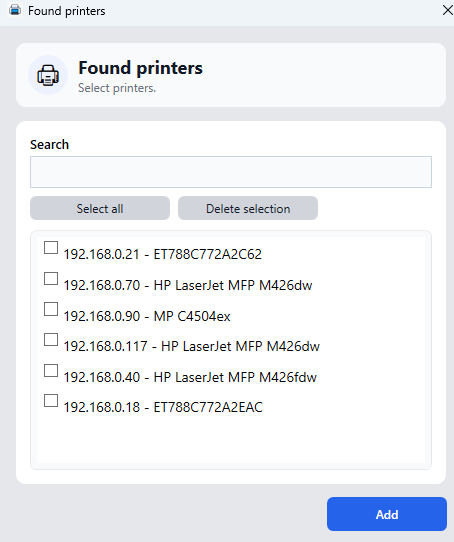
Network Discovery
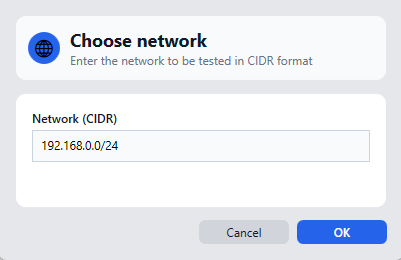
The system can automatically scan and detect printers available on the network.-
Detected networks can be edited manually
-
Printers from multiple networks (e.g. VPN-connected sites) can be discovered and managed together
-
Multiple printers can be selected and added at once
-
Card-Based Printer Interface
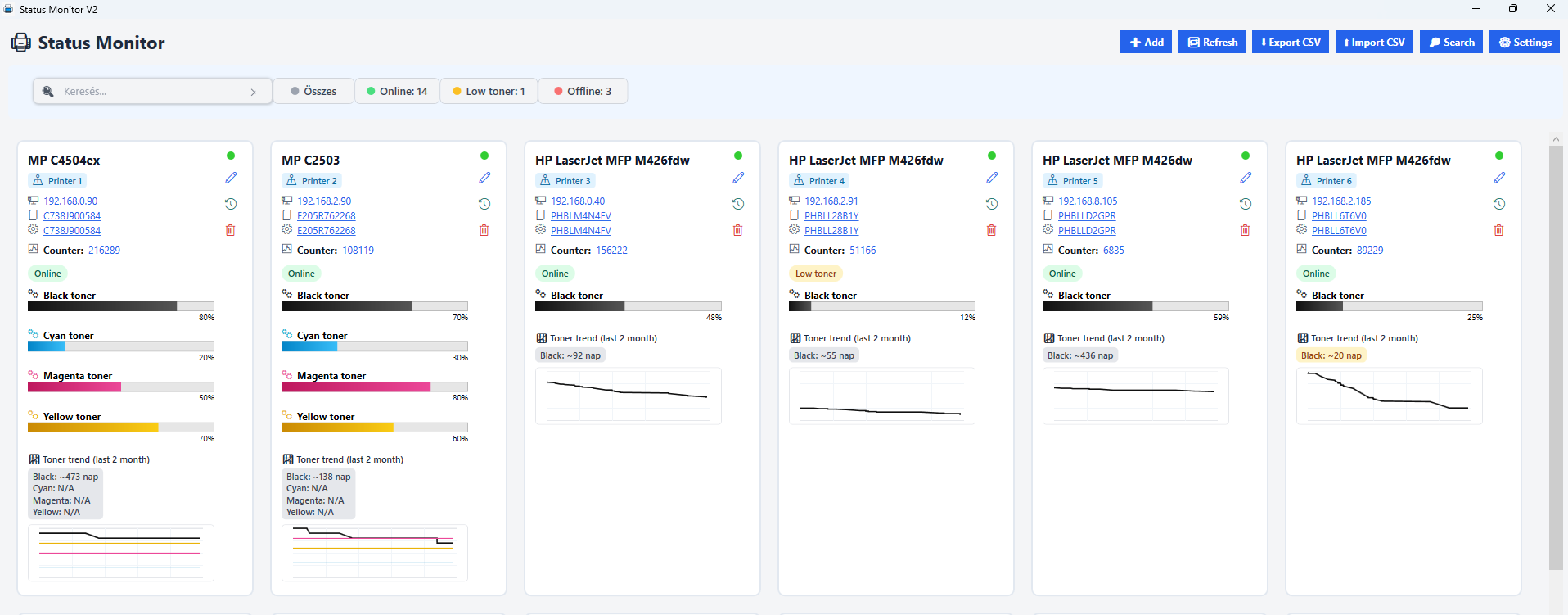
Printers are displayed using a modern, responsive card-based layout, providing an at-a-glance overview:
-
Online / Offline status indicator
-
Toner levels displayed with percentage values and progress bars
-
Current counter (page count) information
-
Estimated remaining days until the next toner replacement
-
Per-printer toner usage shown as a graph at the bottom of each card
A built-in search function allows fast filtering across all printers.
Toner Monitoring & Analytics
-
Real-time toner level monitoring via SNMP
-
Visual progress bars and percentage indicators
-
Historical toner consumption displayed as charts
-
Estimated toner lifespan calculated from usage trends
Detailed Printer View
Each printer card includes a details action that opens a dedicated window with:
-
Detailed toner level charts
-
Page counter history and trends
-
Extended printer statistics
Status Summary & Alerts
At the top of the interface, a summary status bar provides instant visibility into:
-
Number of online vs. offline printers
-
Count of printers with low toner levels
The system automatically generates notifications when toner levels fall below defined thresholds.
Data Refresh & Automation
Printer data can be updated in two ways:
-
Manual Refresh – instant, on-demand updates
-
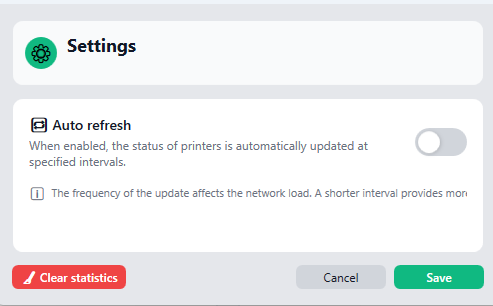
Automatic Refresh – enabled via a toggle switch
-
Customizable refresh intervals
-
Ensures printer status and toner data remain up to date without manual intervention
-
Designed for Scalability
The system is built to scale across:
-
Multiple printers
-
Multiple networks
-
Multiple physical locations connected via VPN
All while maintaining a consistent, intuitive user experience.
Purchase
In order to download this tool you must purchase it at or above the minimum price of $9.99 USD. You will get access to the following files:
Leave a comment
Log in with itch.io to leave a comment.